Know what you eat.
From a photo.
Measur is an AI calorie tracking app for iPhone and Android. Snap your meal and it identifies the foods, estimates the portions, and logs calories and macros in seconds. As simple as a photo, as precise as you choose.
Free to try. No account needed.

How it works
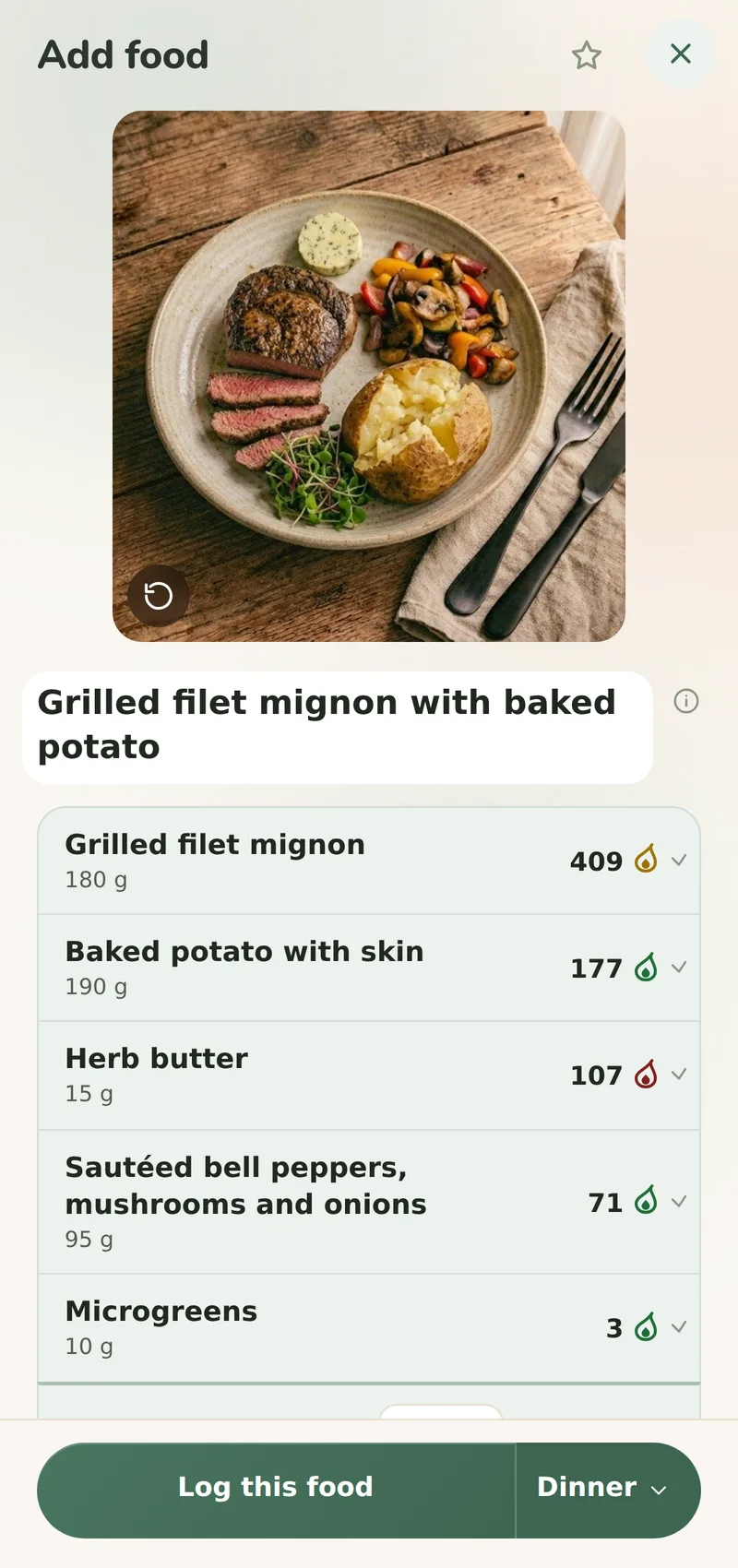
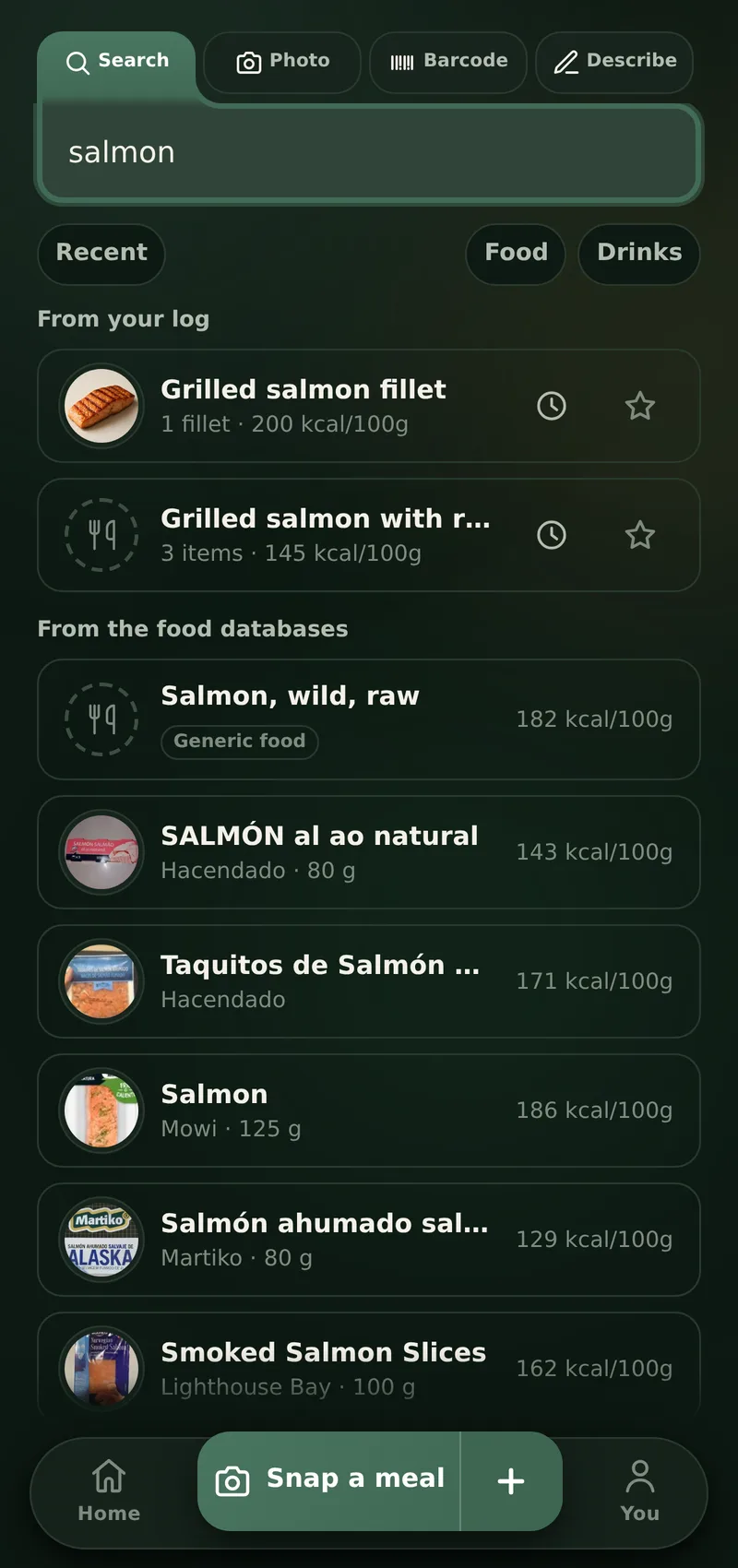
Measur logs a meal in three steps: photograph the plate, scan a barcode or say what you ate; the AI identifies the foods and estimates the portions; the calories and macros land on your day, against a target computed from your body and your goal.
- 1
Snap or describe
Take a photo of your plate, scan a barcode, or just say "two eggs on toast". Whatever is fastest right now.
- 2
AI does the math
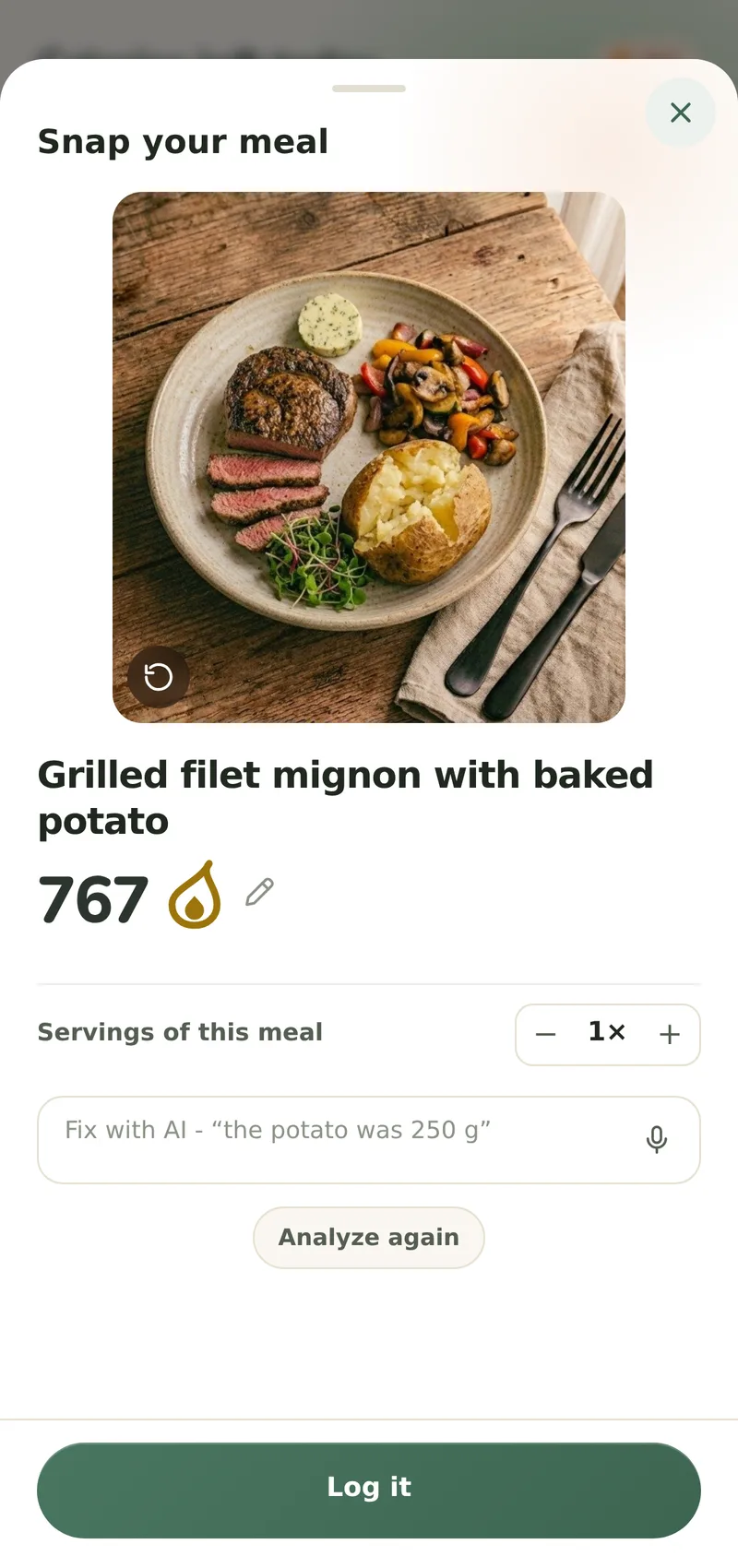
Measur names the foods, estimates the portions and checks the numbers against real food composition tables. Where it had to assume a portion, it says so.
- 3
See where you stand
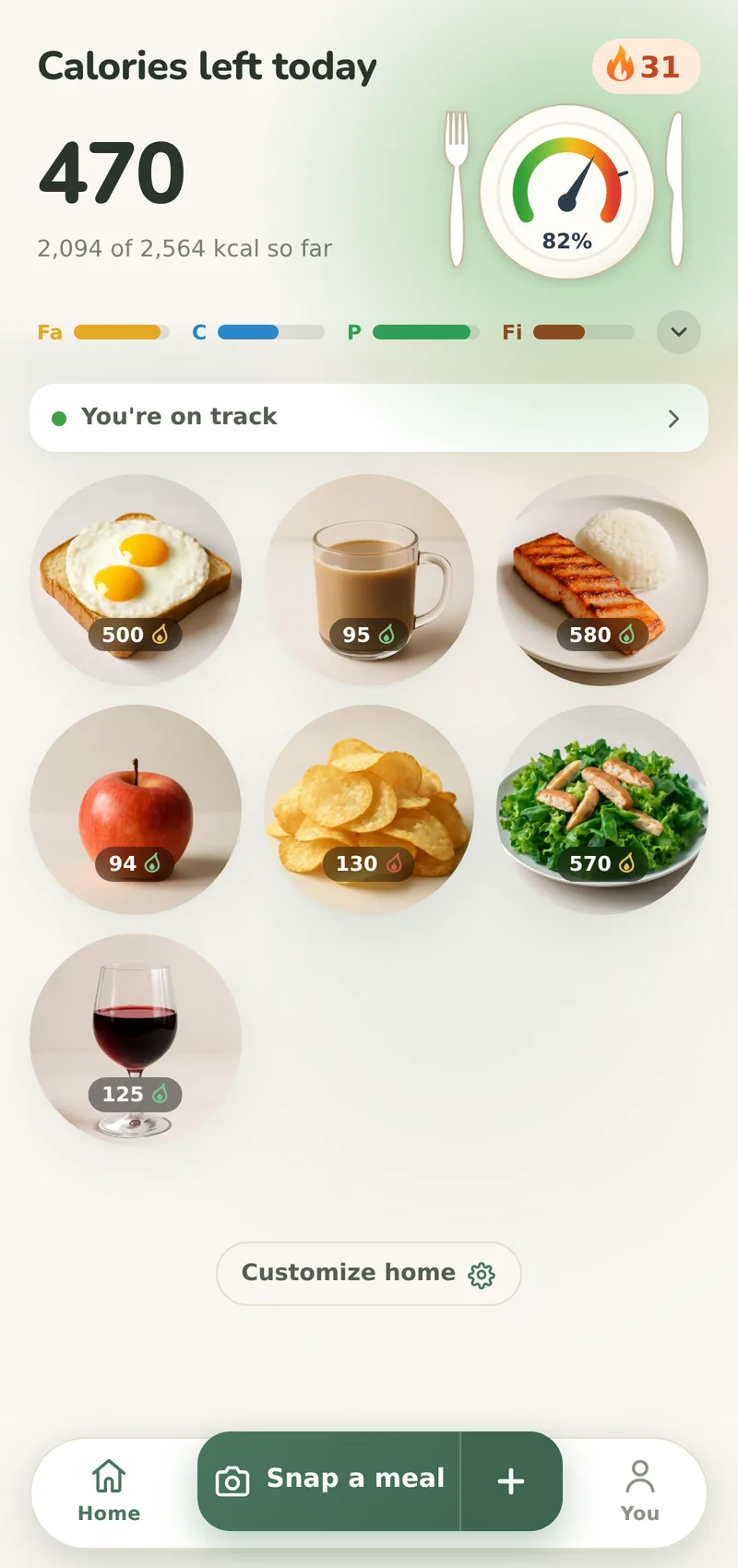
Your day fills a calorie gauge and macro meters against a personal target computed from your body and goal.
The physique you train for is built at the table
Training hard, eating on feel
Most lifters guess their calories, and a hard-training week can quietly run short of what muscle needs to grow. Measur ends the guessing: set a gaining goal and every day reads against a daily target set above your maintenance.
"Probably enough" protein
Everyone knows protein matters. Almost nobody can say what they actually got yesterday. Measur counts it meal by meal against a protein target set from your own body weight, so enough stops being a feeling.
No appetite for accounting
In Measur, tracking costs as much effort as you choose: a meal can be as simple as a photo, and weighing and searching are there when you want a sharper log, never required. A full day of eating takes about ten minutes to log.

Where Measur is different
Most trackers can count a calorie. The reason people quit them is everything around the counting - so that is what Measur fixes.
At home in Europe, not just the US
Most trackers lean on American food data, whatever country you open them in. Measur keeps national food tables from across Europe beside USDA FoodData Central, and the app speaks their languages. Measur leads with what actually sells where you live - and every meal Measur users log makes the list smarter for everyone.
Precision over speed, where it matters
Measur typically answers a photo in under ten seconds, and spends those seconds on high-end AI models instead of the fastest one going. A result you can log as it stands beats a quick answer you have to correct.
The tenth log is faster than the first
Every tracker guesses a standard portion. Measur remembers the amounts you correct, food by food, and reads the next plate with your portions in mind. And a repeat never starts from scratch: drag a meal onto another day, star the ones that keep coming back - no new photo, no new analysis.
Numbers that are cross-checked
An AI can name a food and still guess its weight. Measur checks every food it names against a real food composition table - USDA FoodData Central first, then a national food table - before the numbers reach your journal.
Recipes made for you, or any you bring
Pick any meal, today or a day ahead, and the dishes come sized to the calories you have for it, around your allergies, your tastes and whatever you name out of the fridge. Found one somewhere else? Paste it in from a website, a note or a message, and it joins your Recipes with the calories worked out per serving. Cooked it? One tap logs the whole thing.
A diary that looks like food
A typed meal or a product with no photo of its own still gets one: Measur generates a photo-quality picture of the dish for your journal. Your diary reads as the food you ate, not a list of grey rows.
Eat together, log it once
Most trackers make everyone at a shared dinner log it all over again. Sign in, invite the people you eat with to Your table, and only one of you logs the meal: the others copy it into their own diary in a couple of taps.
The rest is easier to feel than to read about. Measur is free to try, with no account - see for yourself.
See it on your phone
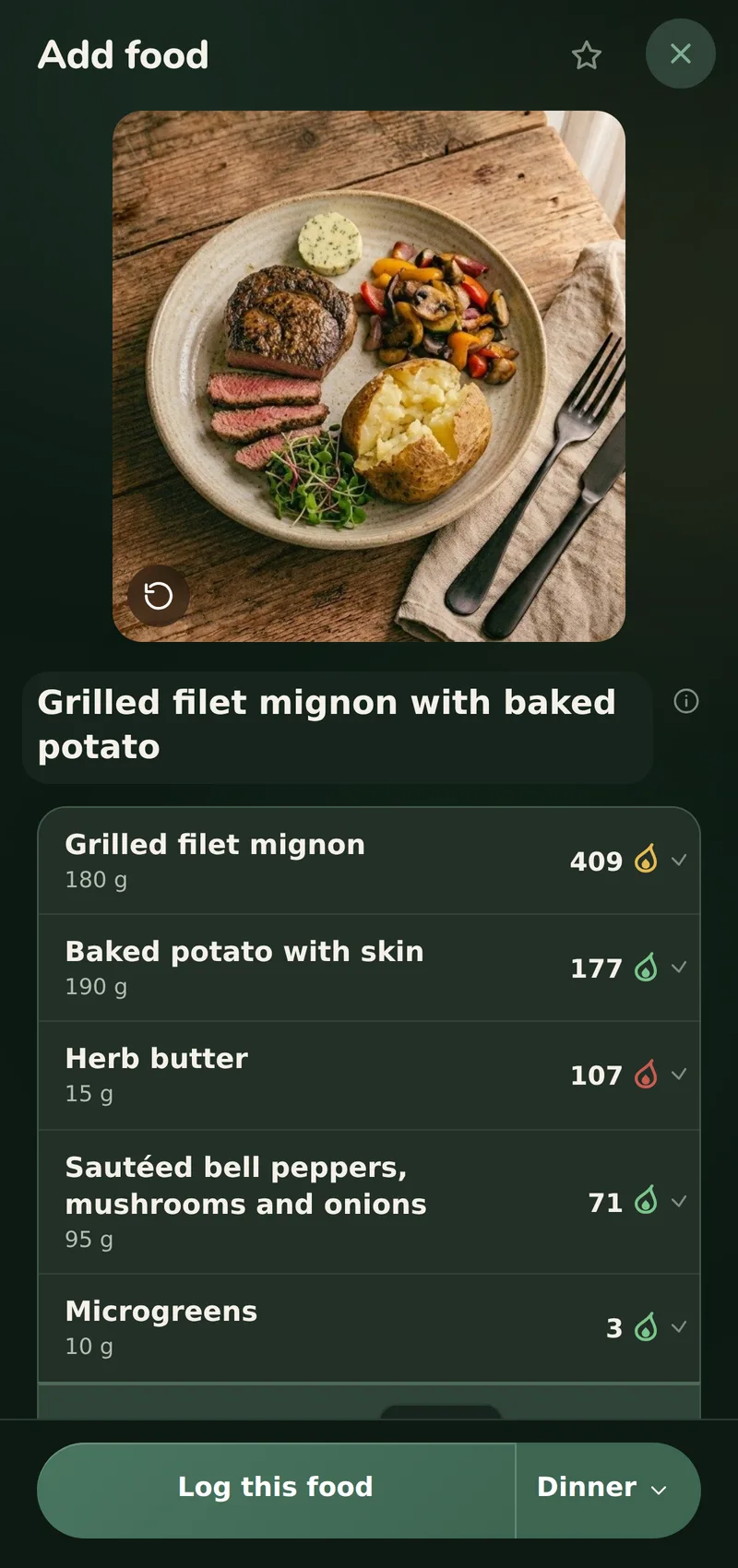
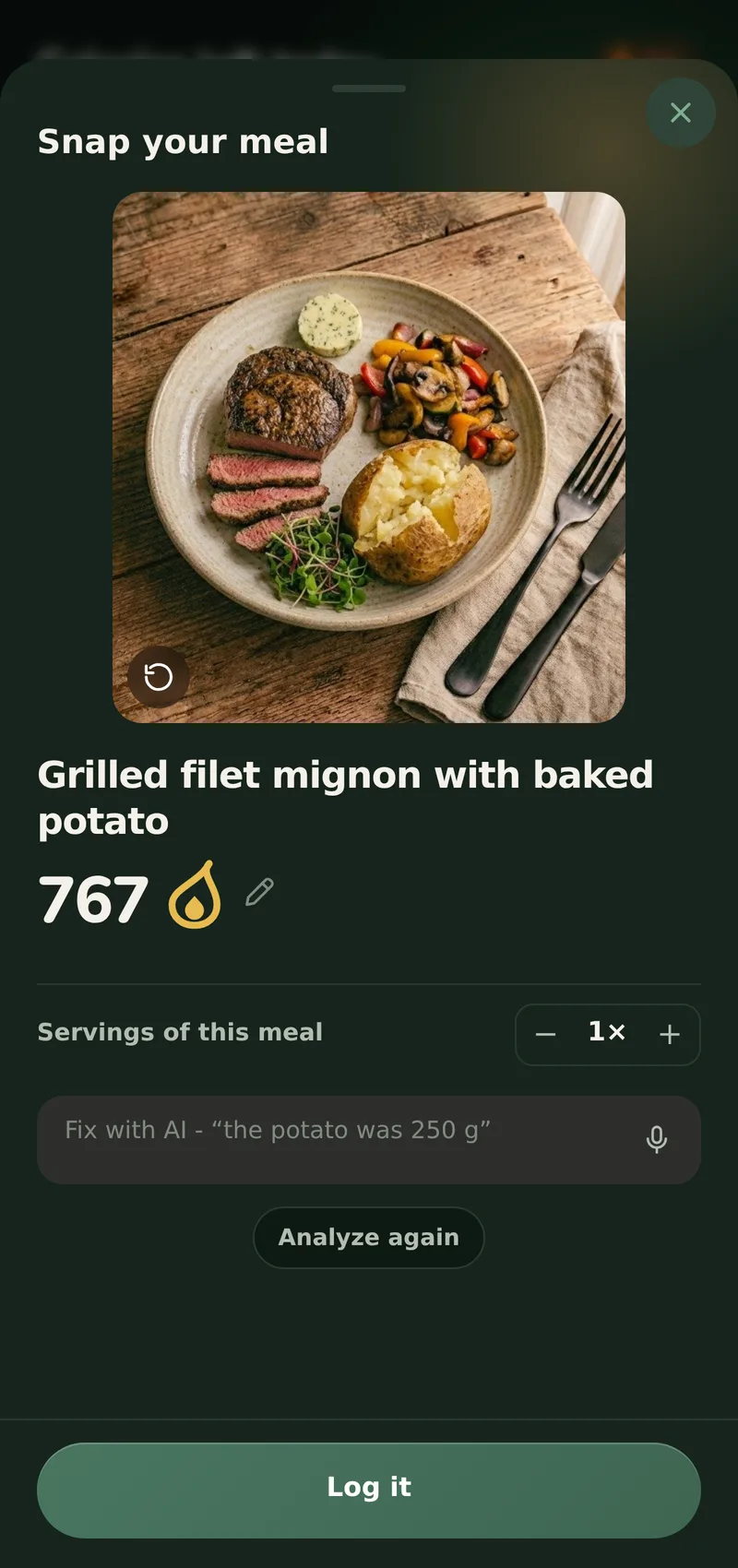
Measur has a light and a dark mode and follows whatever your phone is set to. These screens follow this page, so .
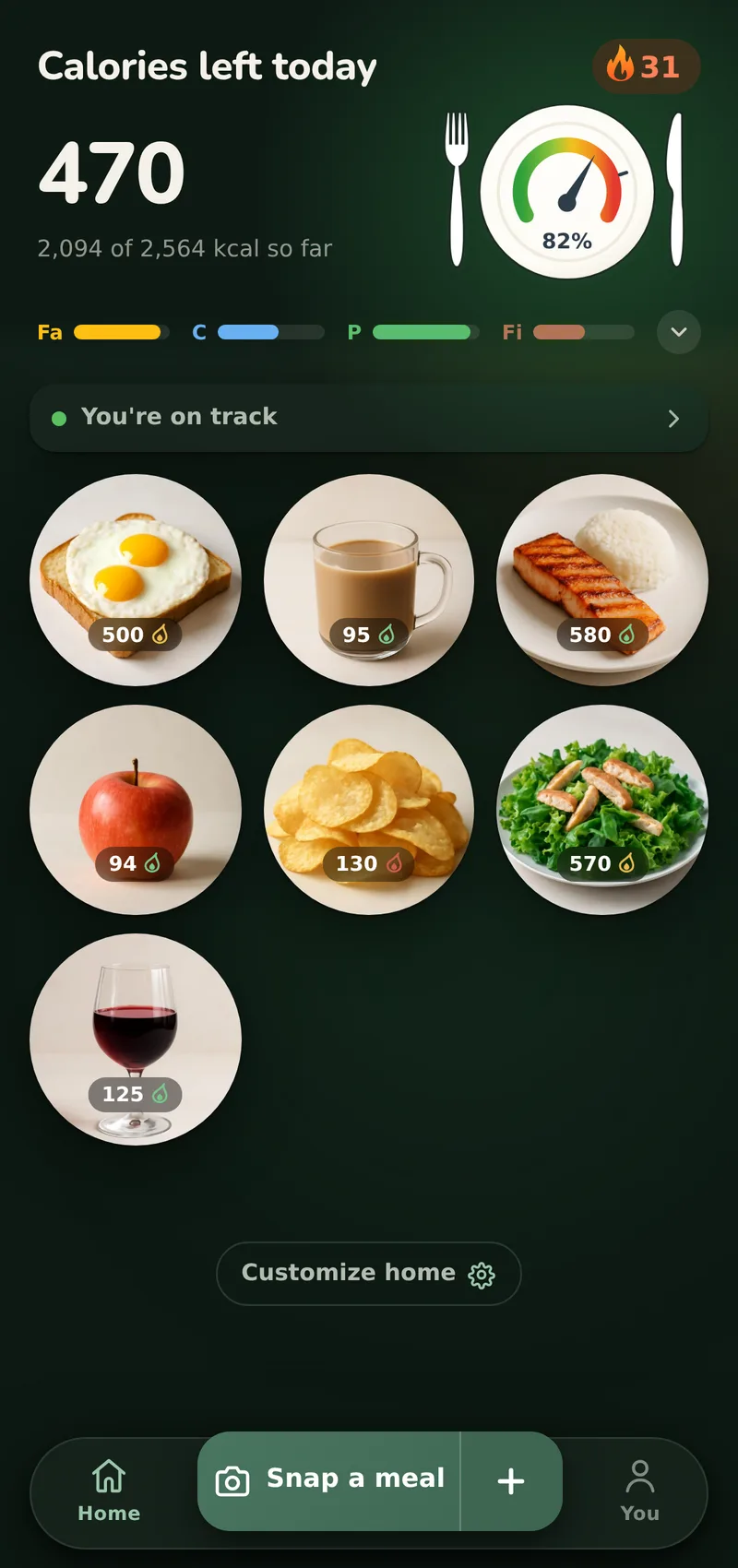
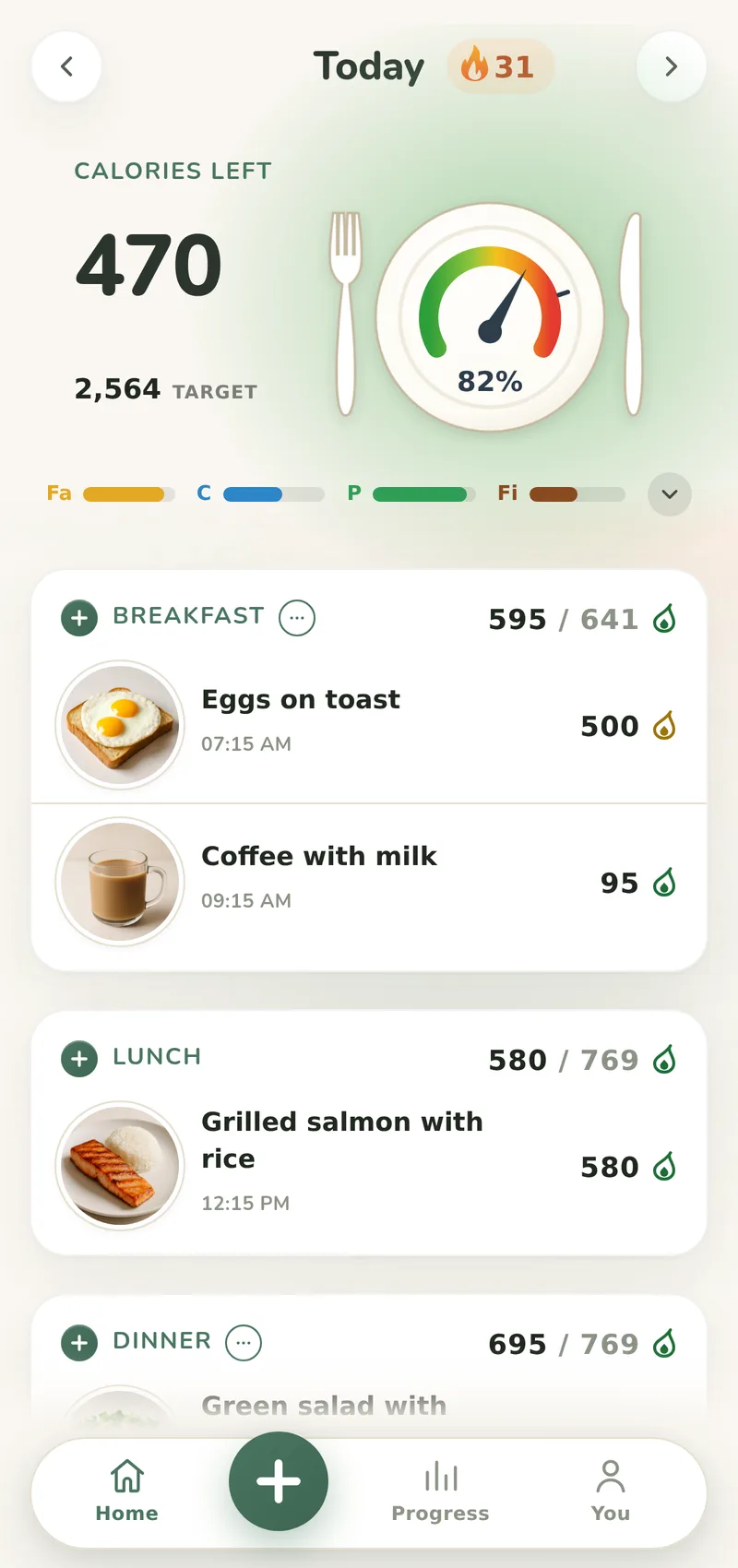
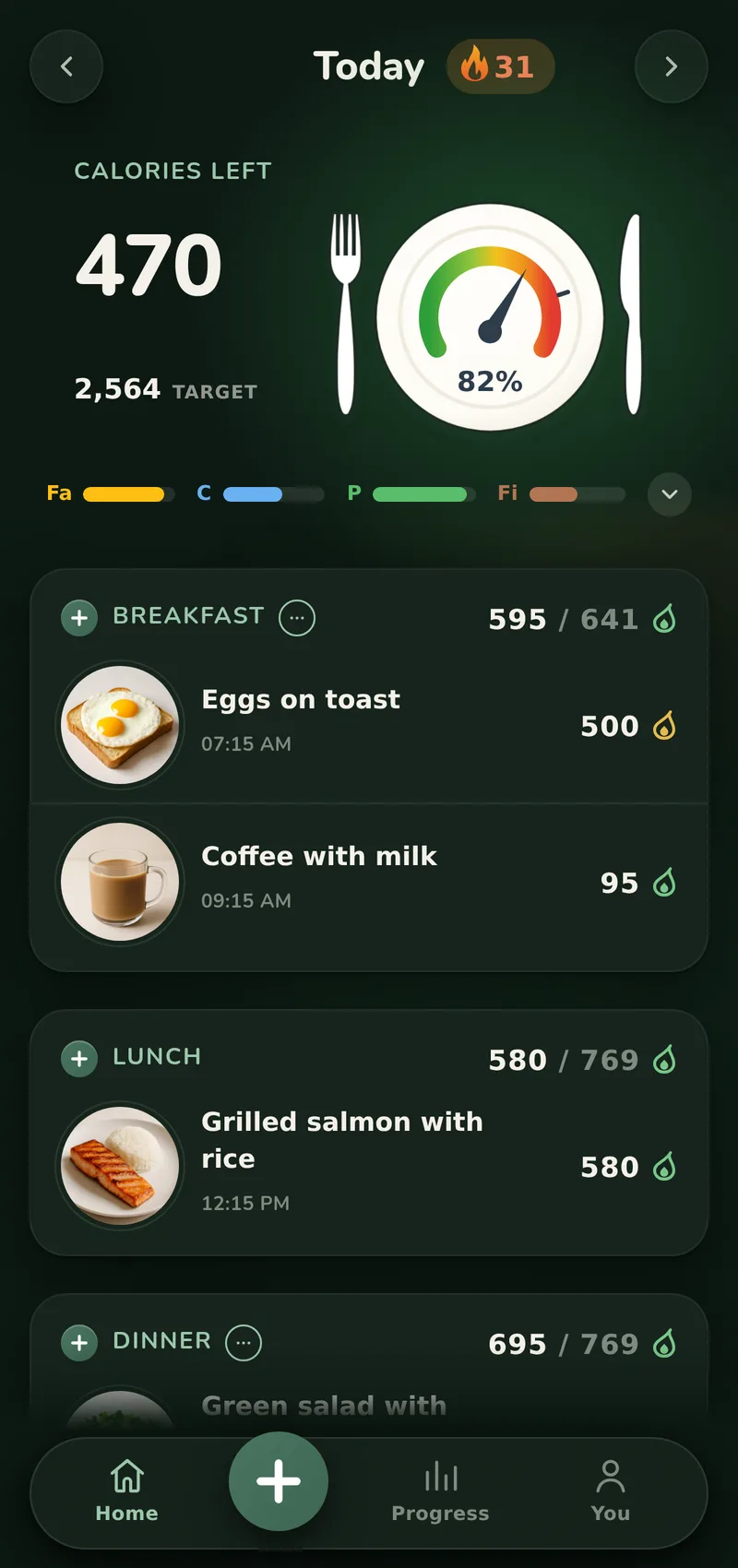
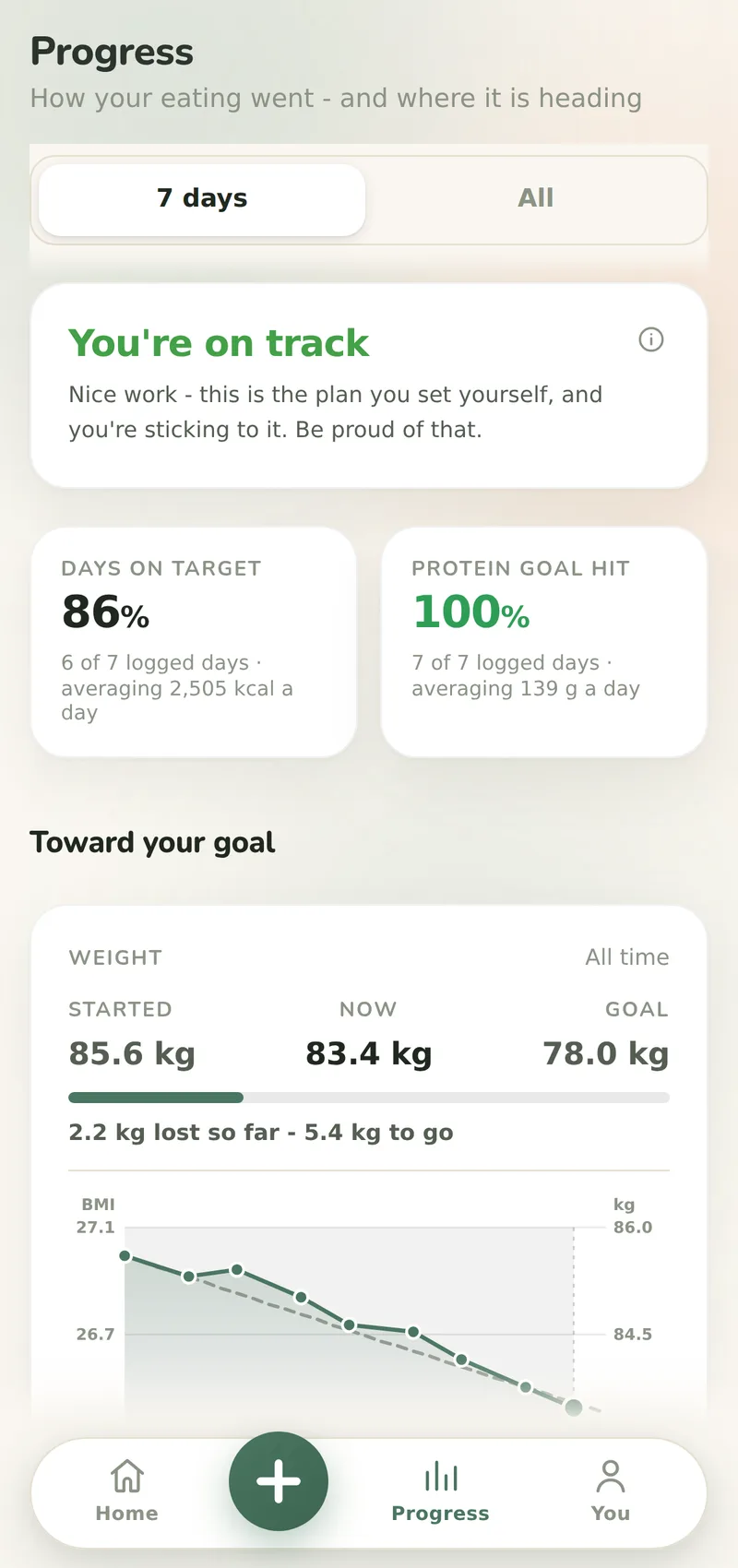
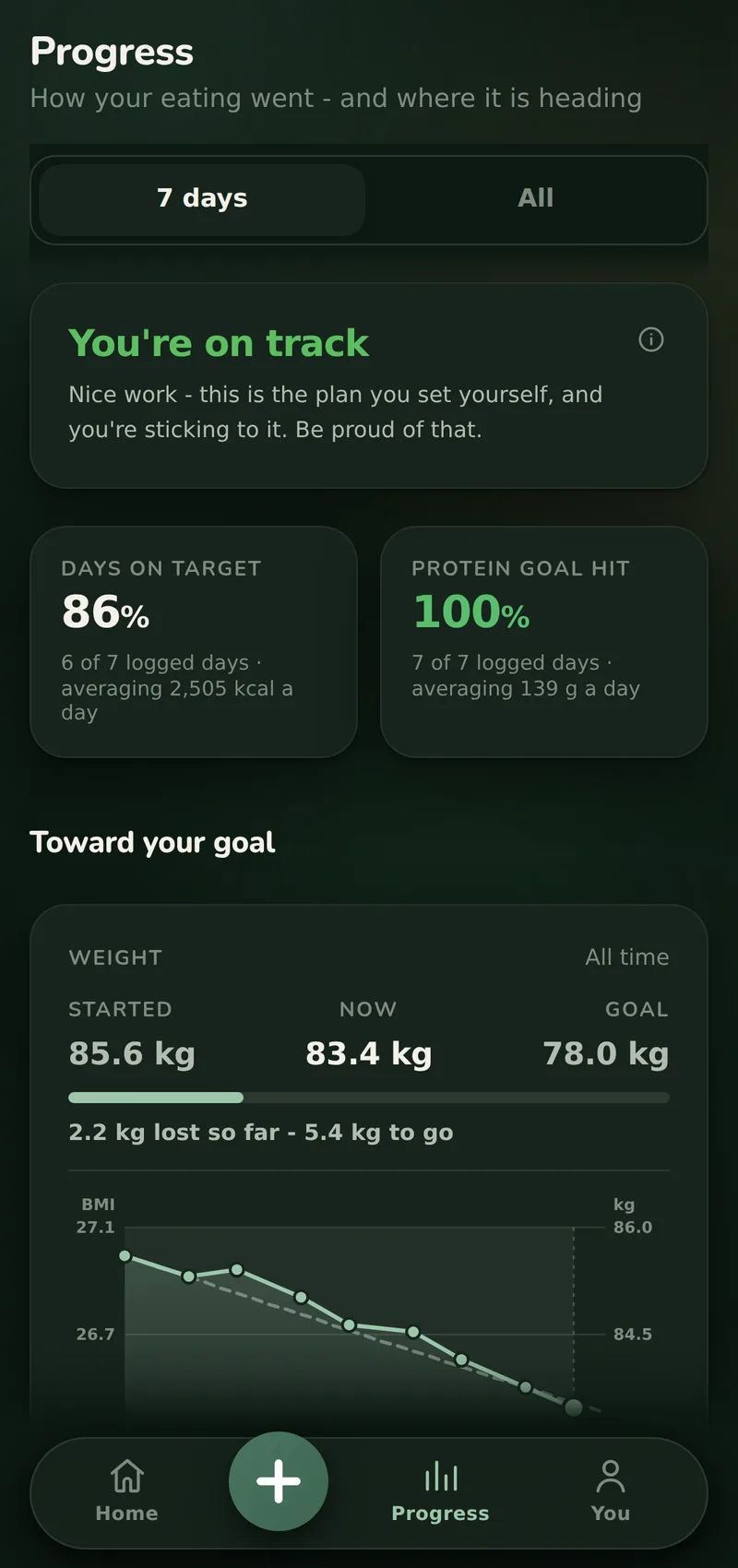
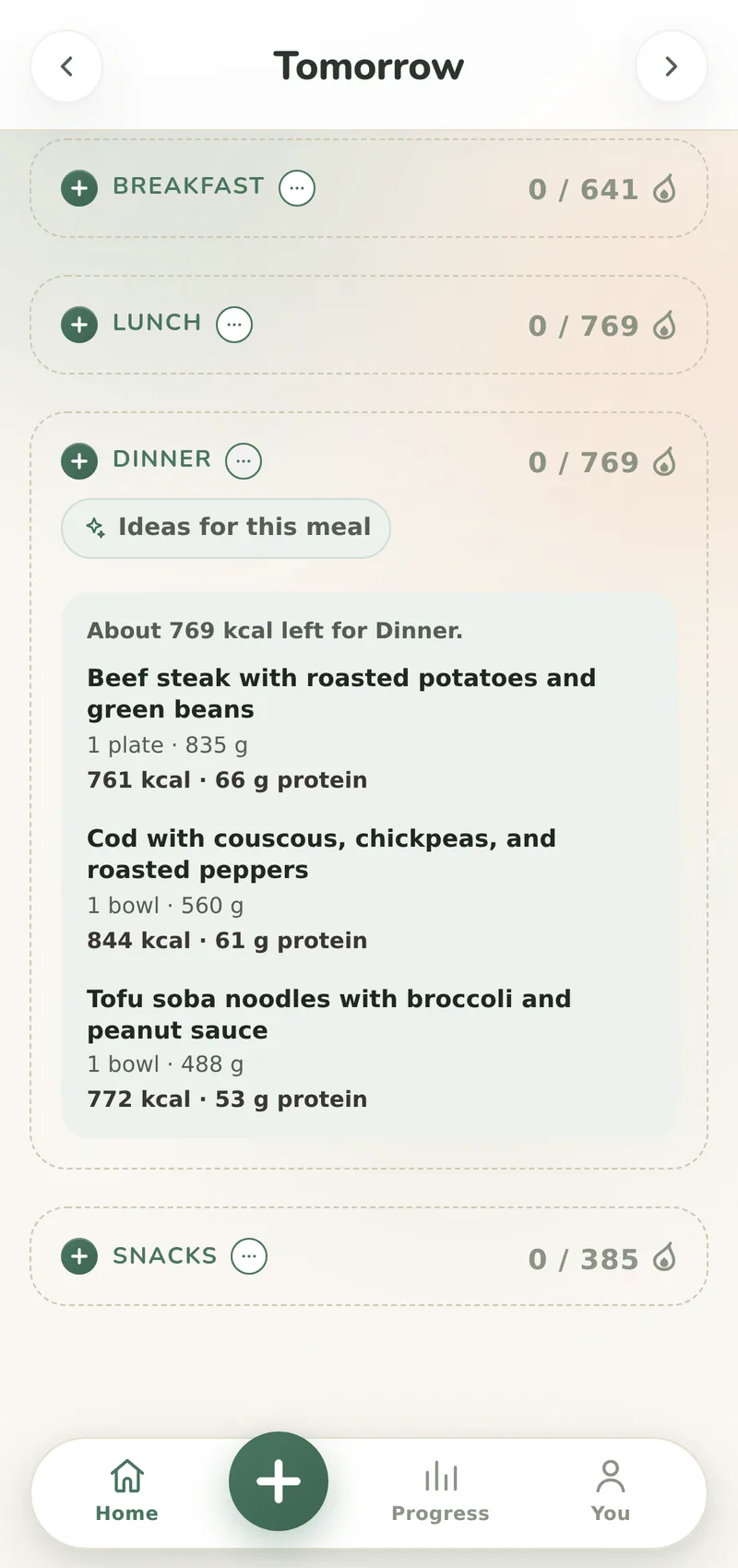
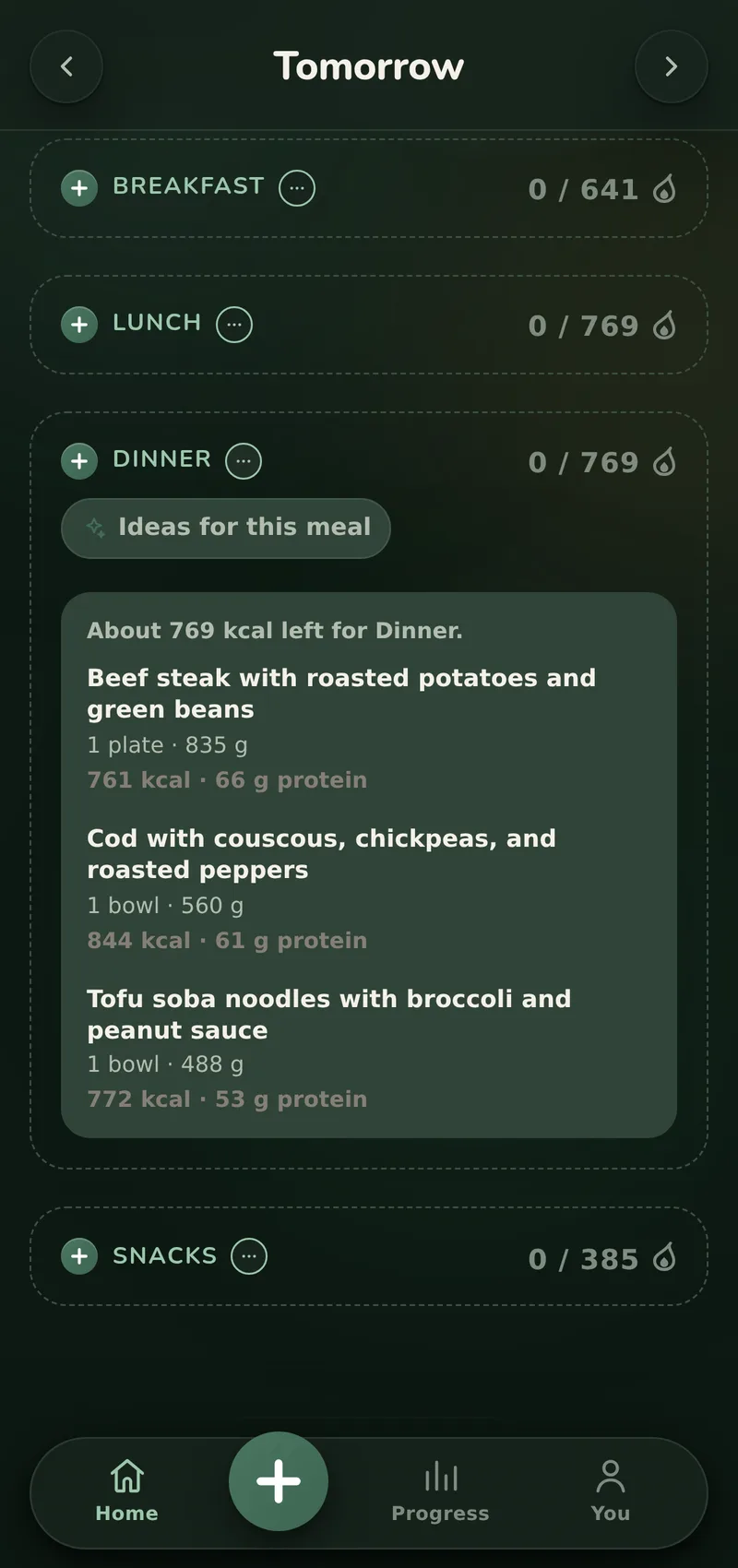
Everything a tracker should do. Nothing it shouldn't.
Measur covers what a calorie tracker is for: a meal logged from a photo, a calorie target that corrects itself from your own weigh-ins, your progress in one chart, and real food composition data behind every number.
AI photo logging
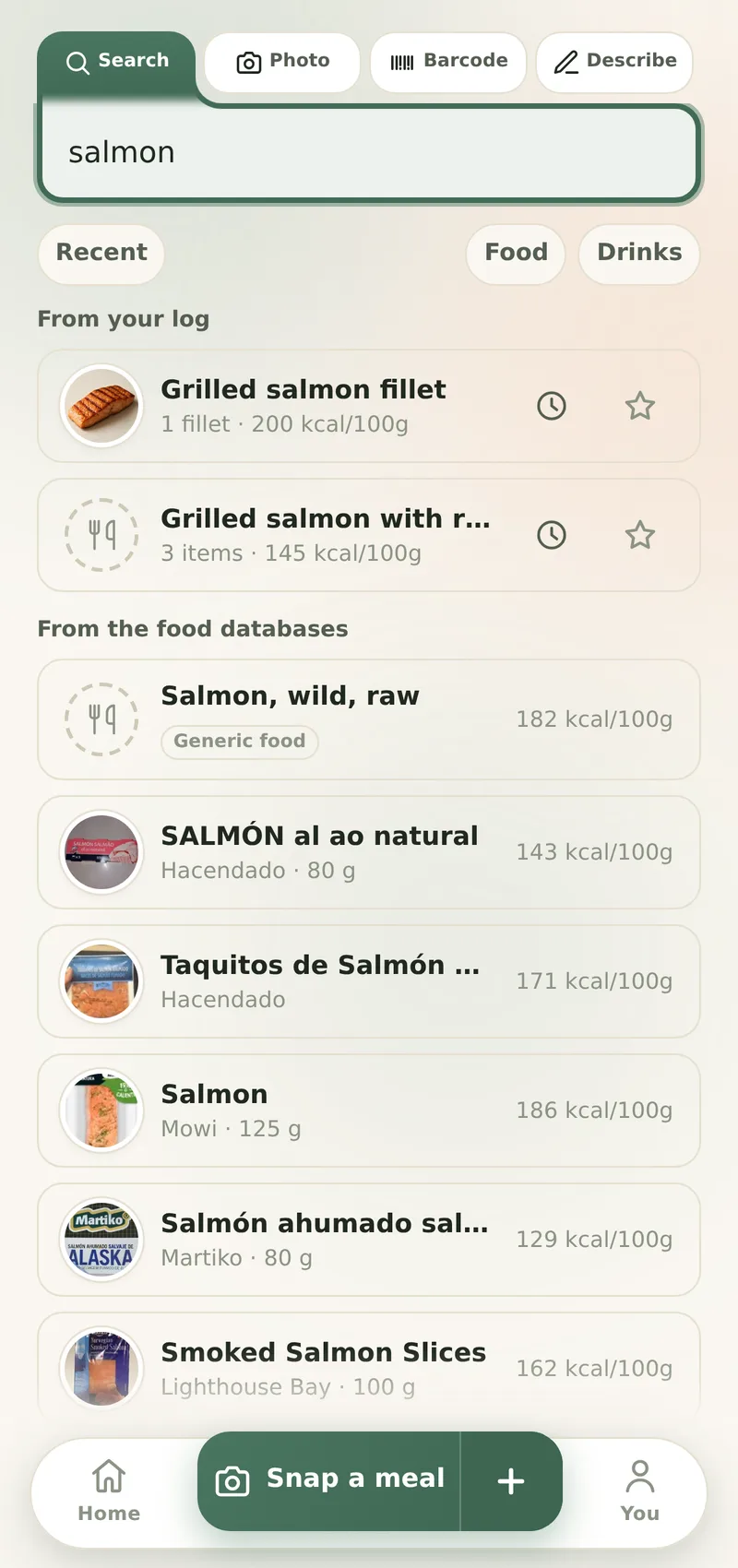
One photo becomes a full meal entry: foods, portion weights, calories and macros. Wrong sauce? Fix it with AI in your own words, or set any amount to the gram in Advanced mode.
A target that corrects itself
A formula is where your calorie target starts, not where it stops. Measur measures your Maintenance Calories from your own weigh-ins and logged days, and offers you a corrected target when they say the old one was wrong.
Is it working?
One chart puts the calories you consumed against your plan, next to the weight you actually are.
Your coach
A coach floats over every screen, one tap from a chat that knows your journal. Ask about your day or your food, and where the answer names a meal or a setting, a chip takes you straight there.
Real food data
Your country's own food table stands behind the numbers, with USDA FoodData Central and Open Food Facts beside it - scan a barcode to match millions of packaged products.
Watches and devices
What your watch, band or smart scale writes to Apple Health or Health Connect, Measur reads: weigh-ins file themselves on mornings you never open the app, and the day's steps and workouts are offered as calories on top, added when you tap. No watch? Your phone counts its own steps.
What it costs
Measur runs on high-end AI models, and every request the app sends them is a real expense. That is why the AI is paid for by the people who use it - never by ads, and never by your data. Prices will be on its App Store and Google Play pages at launch, in your local currency. The shape of it is already set:
- 1
Start free
Download it and log your first meal: no card needed. Your first days come with everything on, and nothing even brings a subscription up.
- 2
The tracker costs nothing, for good
When those days end, the tracker does not lock. Search, barcode scanning, typing in an amount, your targets, weigh-ins, Progress and sync stay yours with no subscription at all.
- 3
Measur Pro adds the AI
Everything that runs on AI: meal photos, a meal described in a sentence, the coach, Fix with AI and AI recipes. Three plans - monthly, quarterly or yearly - differ only in length: each one unlocks all of Pro, and the longer ones simply cost less per month. The store gives you seven days free first. It bills on its own payment sheet, and you cancel any time in your store settings - Measur never sees your card.

Coming soon to the App Store & Google Play
Questions people ask about Measur
Short answers, in the words we would give you ourselves.
What is Measur?
Measur is an AI calorie tracking app for iPhone and Android. You photograph a meal, scan a barcode or say what you ate, and Measur identifies the foods, estimates the portions and logs calories and macros against a daily target computed from your body and your goal. Free to try, no account needed.
How does Measur count calories from a photo?
You take a photo of your plate and the AI names the foods and estimates each portion, then every food it names is checked against a real food composition table - USDA FoodData Central first, then a national food table - before the numbers reach your journal. Got the sauce wrong? Fix with AI corrects the entry in your own words.
Does Measur work in Europe?
Yes - Europe is where Measur is most at home. Most trackers lean on American food data, whatever country you open them in. Measur keeps national food tables from across Europe beside USDA FoodData Central and Open Food Facts, the app speaks their languages, and search leads with what actually sells where you live.
Do I have to weigh my food?
No. Snap your meal and Measur estimates the portions from the photo - that alone is a full log. Weighing is a choice that buys precision: tell the AI what the scale said, or set any amount to the gram in Advanced mode, and Measur remembers the amounts you correct, food by food.
Is Measur free?
The tracker is, for good: search, barcode scanning, typing in an amount, your targets, weigh-ins, Progress and sync stay yours with no subscription at all. Measur Pro adds the AI, and the store gives you seven days free first. Three plans - monthly, quarterly or yearly - differ only in length. Prices appear on the store listings at launch.
Is Measur on the App Store and Google Play?
Not yet. Measur is built for both iPhone and Android and is coming soon to the App Store and Google Play. There is nothing to download today, and this page carries the store links the moment the listings are live. No launch date has been announced.
What are Maintenance Calories?
Maintenance Calories is what Measur works out you burn, from what your own weight and your logged days show, rather than a formula fixed on the day you signed up. Your daily budget is built on that figure, and when your weigh-ins say the old target is wrong, Measur offers you a corrected one.
Does Measur work for building muscle?
Yes. Set a gaining goal and your daily calorie target sits above your maintenance, with a protein target alongside. Photograph your meals and the day's calories and protein read against those targets, so you can see whether you fueled the training. The same three-step logging, pointed at a different goal.
Can Measur tell me what to cook?
Yes. Pick any meal, today or a day ahead, and Measur suggests dishes sized to the calories you have for it, around your allergies, your tastes and what is in your fridge. Each comes with its ingredients at amounts and steps to follow. One tap logs it once you have cooked it, and the good ones you keep as Recipes.
What happens to my meals and photos?
Your food diary is local-first: it lives on your phone, and one switch backs it up to your own account, so a new phone brings everything back. Meals reach the AI when a feature needs them - a photo for its analysis, a name for the picture the journal draws - and are used for that alone. No ads, no selling data.
Your food diary is yours
Measur is local-first: your food diary lives on your phone, and one switch backs it up to your own account. Turn it on and a lost phone is not a lost diary: sign in on the new one and your meals, photos and settings come back. Meals reach the AI when a feature needs them - a photo for its analysis, a name for the picture the journal draws - and they are used for that feature, nothing else.